Gensee Crate Personal
Gensee Crate Personal is a macOS app and CLI for people who delegate work to AI agents, including Codex, Claude Code, Claude Cowork, Cursor, GitHub Copilot, Antigravity, and Omnigent. It lets routine work continue quietly and brings you back when the outcome needs a decision: scope drift, missing or stale verification, a blocked or high-risk operation, or incomplete evidence.
Your policy, activity, reviews, audit baselines, recovery metadata, and feedback remain in your local Gensee store.
Start with the macOS app
Download the latest notarized macOS app
The signed app bundles the Gensee backend and SQLite support. It does not require Homebrew, Rust, Xcode, jq, or a separate SQLite installation. Follow the Gensee Crate Personal for macOS guide for installation, first-run setup, optional Apple approvals, harness protection, and local data controls.
What Personal adds
- A Review Queue that groups work by session and request instead of making you search several agent transcripts.
- Scope-drift detection that compares declared tool intent with file mutations independently observed by macOS Endpoint Security.
- Smart recovery points before risky Git-workspace changes, with a Restore action on the matching request.
- Configuration Audit for instructions, skills, MCP servers, hooks, permissions, plugins, command rules, and other inputs that can change agent behavior.
- Request-scoped timelines, affected files, grouped findings, verification freshness, local policy decisions, activity highlights, native notifications, and a menu-bar review summary.
Endpoint Security and Full Disk Access are optional. Hook-based reviews, smart recovery points, and Config Audit provide value before you grant broad system access. Enable the independent sensor later when you want operating-system verification of supported process and file activity.
Cowork and approval controls
Claude Cowork has its own endpoint-visibility row in Harnesses. Enable it separately and follow the per-session audit setup. Its host/VM-boundary coverage differs from direct-hook integrations.
Remember approvals for matching actions, or choose a scoped read exception. False-positive feedback is separate from permission. Sensor loss appears in Settings as a Gensee monitoring gap, outside the agent review queue.
See it in use
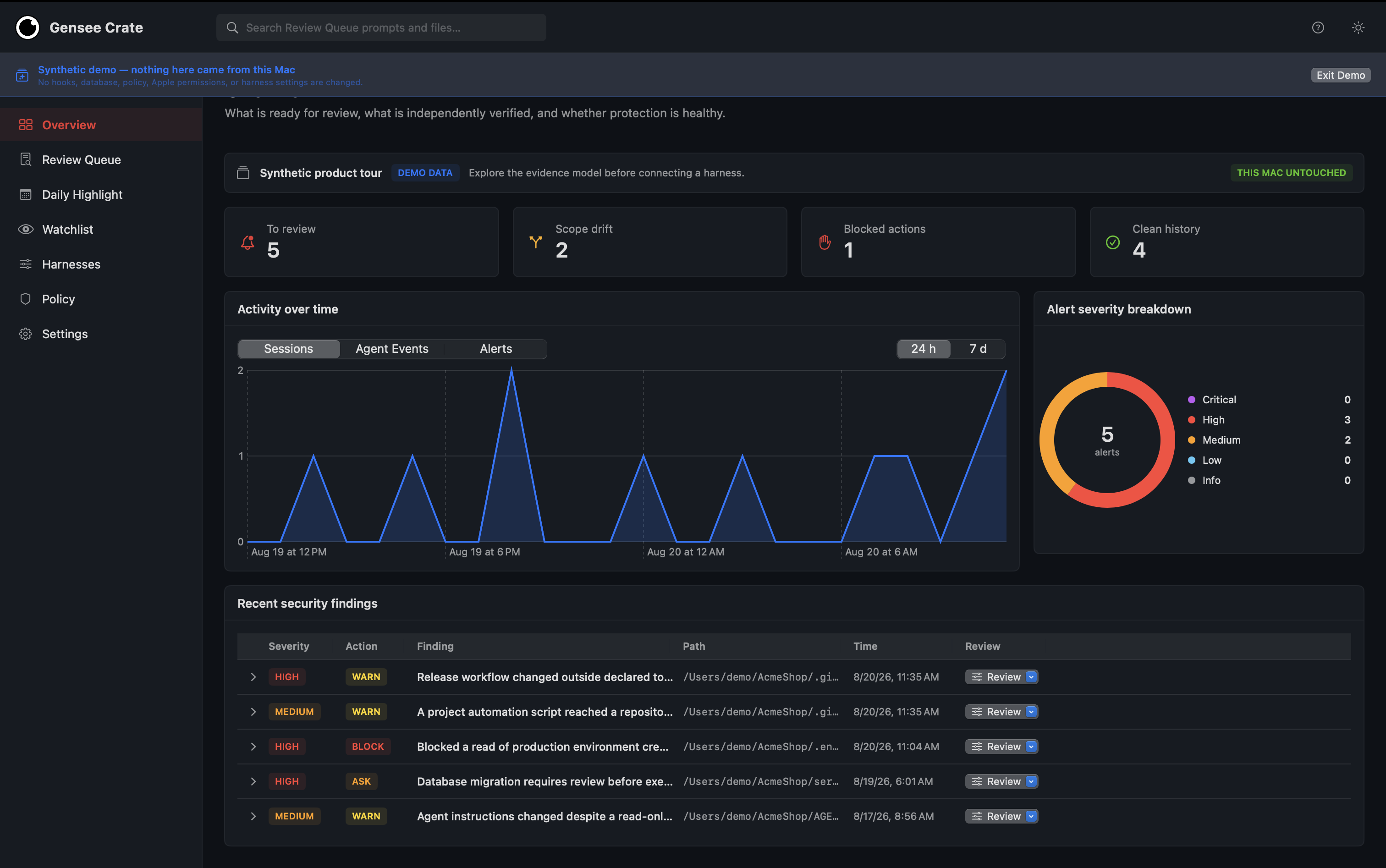
Start with the work that needs you; clean completions remain available without creating noise.
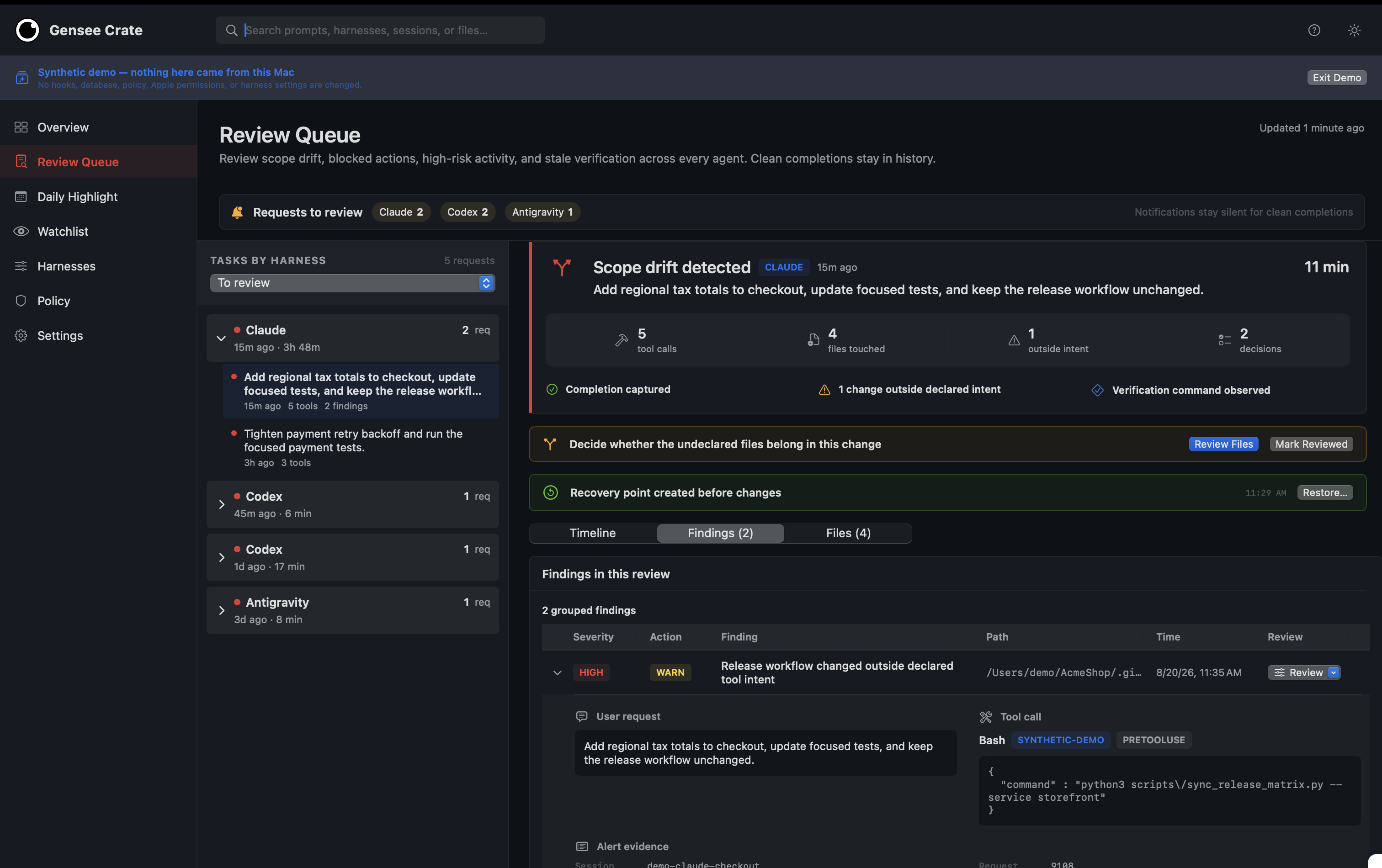
Review scope drift, evidence, affected files, verification freshness, and the recovery point in one request-scoped view.
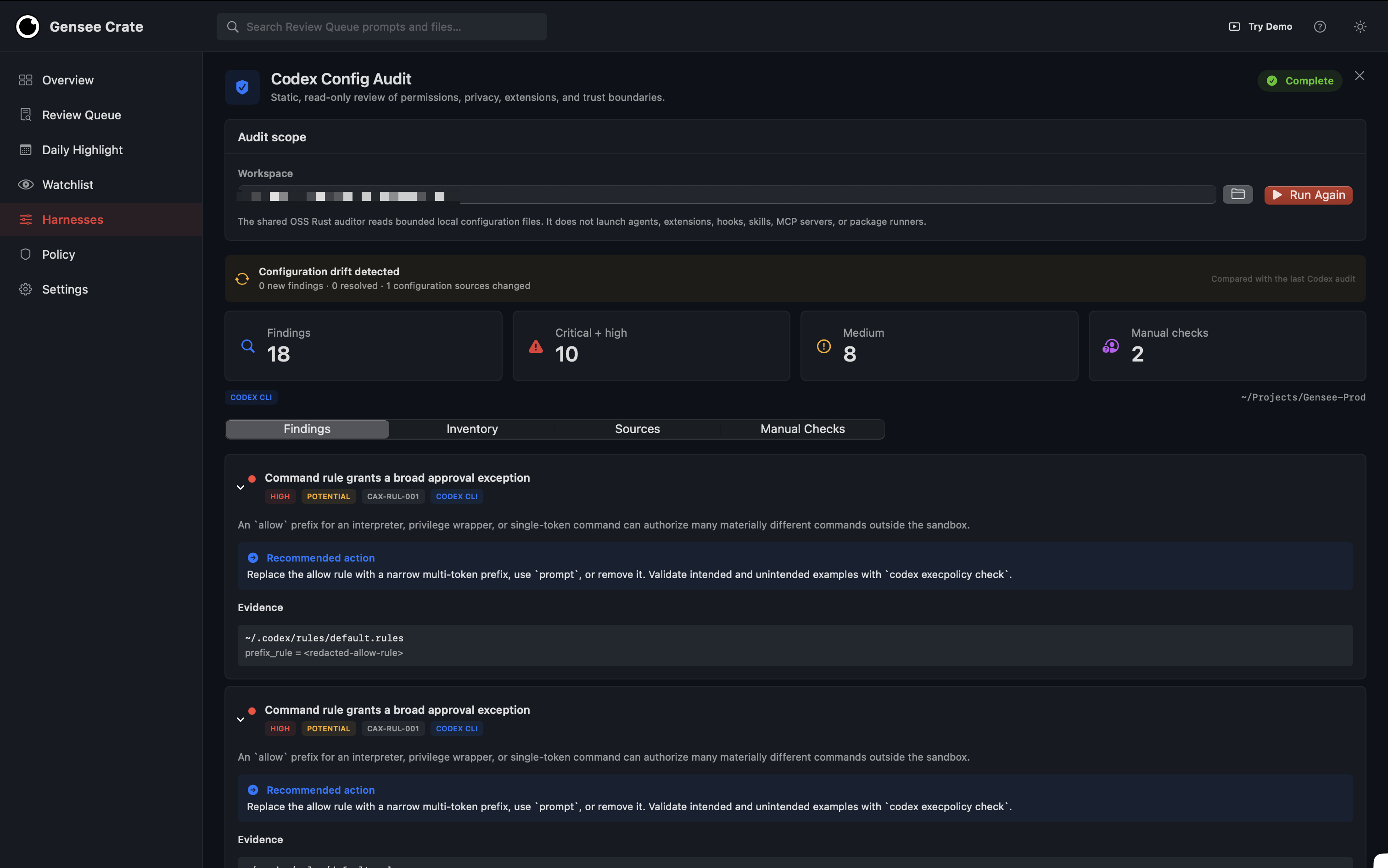
Audit static agent configuration without running it.
Use the CLI instead
Install the CLI and initialize the local store:
curl -fsSL https://raw.githubusercontent.com/GenseeAI/gensee-crate/main/scripts/install_oss.sh | bash
export GENSEE_HOME="${GENSEE_HOME:-$HOME/.gensee}"
Configure the harnesses you use:
gensee setup codex --gensee-home "$GENSEE_HOME"
gensee setup claude-code --gensee-home "$GENSEE_HOME"
Run an agent through Gensee when you want an explicit managed session:
gensee run -- codex
# or
gensee run -- claude
Inspect configuration and recorded work:
gensee audit codex
gensee run list --json
gensee timeline --latest
gensee status --json
The app is the recommended macOS experience. The CLI remains useful for automation, terminals, and Linux workstations. Continue with harness integrations, policy, Config Audit, or managed run modes.
Current boundaries
Recovery points restore Git-workspace files. They cannot undo database changes, network requests, remote repository actions, running processes, ignored files, or files outside the selected Git workspace. Endpoint Security verifies supported operating-system activity but is not a packet-level network sensor.